
Please note that deficiencies may not be listed because a Deficiency Notification has not yet been issued. Deficiency Notifications are sent via e-mail on a monthly basis in most trusts. Until you receive this notification, the deficiencies will not be displayed.
Once you have received notification of the deficiency, you can see the deficiencies by opening the claim and looking under the Evaluation tab.
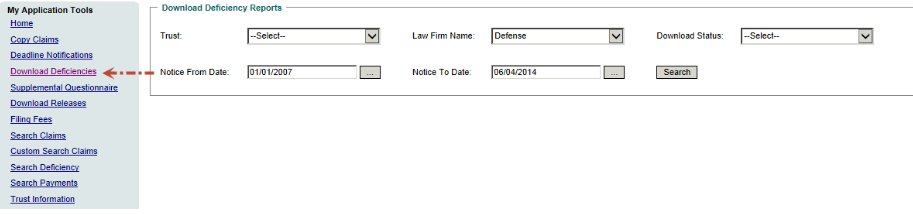
You can download your Deficiency Reports through our website by going to Download Deficiencies under My Application Tools:
Once you have received notification of the deficiency, you can see the deficiencies by opening the claim and looking under the Evaluation tab.
You can download your Deficiency Reports through our website by going to Download Deficiencies under My Application Tools:
You can also see a listing of all of your current deficiencies in a given Trust by accessing the trust and running the report “Law Firm Deficiency by Row.”
The deadline for responding to a deficiency is 180 days from the date of notification (not the date that the claim became “Reviewed Deficient”.)
The deadline for responding to a deficiency is 180 days from the date of notification (not the date that the claim became “Reviewed Deficient”.)