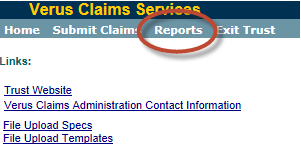
For both Deficiency Deadlines and Offer Deadlines, you can see how many days are left by running the “Deadline Summaries” report. From the Verus application homepage select a particular Trust from the list of trusts under “My Trust Accounts”, click on “Reports” at the top of the page. That will generate a list of reports that you can run. The “Deadline Summaries” report will give you all of your deadlines and the days remaining, which you can export to excel and then search for particular claims.